After years as Digital First AI, we are happy to announce our rebrand to DFIRST AI. This rebranding reflects our expanded focus on AI-driven creative tools and our commitment to new possibilities for creators everywhere. Try our new platform for free.
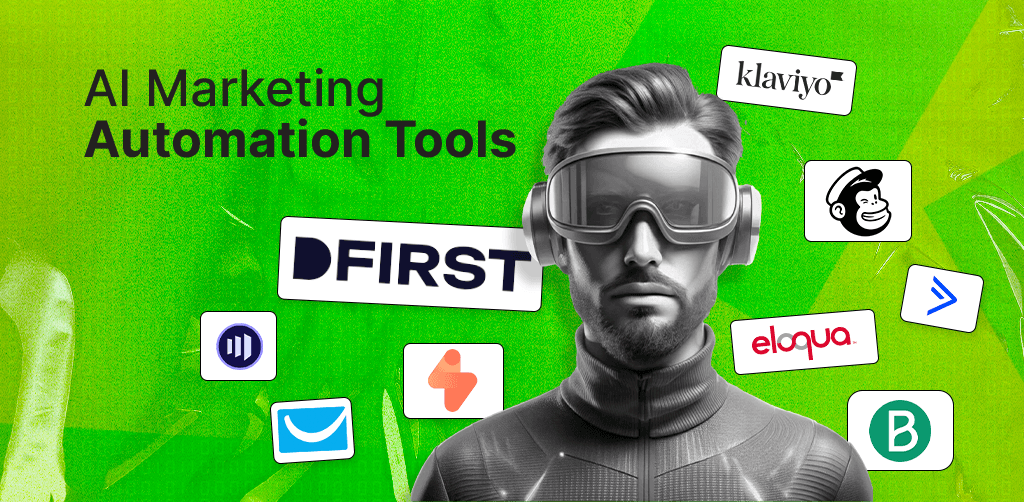
AI Marketing Automation Tools: Complete Platform Guide for 2026
Compare AI marketing automation platforms (HubSpot, DFIRST, ActiveCampaign) for content generation, personalization, and workflow automation. Includes strategy, implementation, and data privacy guidance for B2B and e-commerce teams.

Sonu kalwar
Share:
You're juggling email sequences, lead scoring models, customer segmentation rules, and campaign analytics across disconnected platforms. The promise was streamlined workflows—the reality is 15 hours per week managing automation tools instead of strategy.
AI marketing automation tools solve this paradox. Platforms like Salesforce Einstein AI, HubSpot Marketing Hub, and DFIRST AI now use machine learning to autonomously optimize send times, predict customer behavior, and personalize content at scale—capabilities that previously required data science teams.
Here are 9 AI marketing automation platforms that will:
Reduce your manual workload by 40%
Increase lead conversion rates through predictive scoring
And, unify your customer data infrastructure.
I've organized them into three categories: enterprise solutions for complex B2B operations (DFIRST, Salesforce, Adobe Marketo, Oracle Eloqua), mid-market platforms for growing businesses (HubSpot, ActiveCampaign, Klaviyo), and accessible tools for small teams (Brevo).
You'll discover which platforms match your business size, technical requirements, and budget—plus implementation roadmaps that prevent the costly mistakes most teams make during rollout.
Let's dive in.
What Is AI Marketing Automation?
AI marketing automation combines artificial intelligence with your digital marketing workflows to run, personalize, and improve campaigns based on real-time data. These tools use machine learning and predictive analytics to handle repetitive tasks across email, social media, and web channels.
Think of it as automation with a brain. Traditional marketing automation follows basic rules you set up. AI marketing automation learns from customer data and adjusts its approach automatically.
Leading AI marketing automation platforms include:
Platform | Best For |
Research, copywriting, visuals and video production | |
Salesforce Marketing Cloud | Enterprise B2B with Einstein AI predictive analytics |
ActiveCampaign | Mid-market businesses needing advanced workflows |
Klaviyo | E-commerce personalization and predictive sending |
HubSpot | Integrated CRM with AI content generation |
Key capabilities you get with these tools:
Predictive lead scoring to identify your best prospects
Customer segmentation based on behavior patterns
Automated workflow triggers that respond to user actions
AI-generated personalized content for each customer
Send-time optimization to reach people when they're most likely to engage
Multi-channel campaign orchestration
Real-time analytics and attribution tracking
To implement AI marketing automation successfully, you need solid customer data infrastructure and a clear marketing strategy. You also need to pay attention to data privacy compliance with regulations like GDPR and CCPA.
Core Technologies Powering AI Marketing Automation
Machine learning algorithms analyze your customer behavior patterns to predict what they'll do next. These systems study past purchases, email clicks, and website visits to forecast which products interest each person. You can use predictive analytics to improve lead scoring and send targeted messages at the right time.
Natural language processing lets chatbots understand what your customers are asking. This technology reads messages in plain language and generates responses that sound human. You'll find NLP in tools that manage Instagram DMs, WhatsApp conversations, and website chat windows at the same time.
Generative AI creates marketing content from simple prompts. You can generate email subject lines, social media posts, and product descriptions in seconds. AI-powered content generation tools now write first drafts that you can edit and personalize for your brand voice.
Key technology applications:
Machine learning - Segments audiences based on behavior and predicts customer lifetime value
NLP - Powers chatbots that qualify leads and answer support questions
Generative AI - Creates email copy, ad text, and blog outlines
These three technologies work together in your automation platform. Machine learning decides who gets your message. NLP handles two-way conversations. Generative AI writes the content. You stay in control by setting rules, approving outputs, and adjusting campaigns based on results.
Key Capabilities And Use Cases
AI marketing automation tools help you deliver the right message to the right person at the right time. These platforms use smart technology to handle tasks that used to take hours of manual work.
Personalization sits at the core of modern marketing automation. You can tailor emails, ads, and website content based on what each customer has done before. The system tracks browsing history, past purchases, and engagement patterns to create unique experiences for different audience segments.
Automation takes over repetitive tasks through behavioral triggers. When someone abandons their cart, downloads a resource, or clicks a specific link, the system responds automatically. You set up the rules once and let the platform handle the rest.
Predictive analytics powered by machine learning helps you identify which leads will likely convert. The technology scores prospects based on their behavior and tells you where to focus your energy. This means less time chasing cold leads and more time closing deals.
Multi-channel coordination keeps your message consistent everywhere your customers are. You can run campaigns across email, social media, SMS, and web chat from one dashboard. The system adjusts timing and content for each channel based on how people engage.
These tools also generate content at scale while maintaining your brand voice. You can create review responses, social posts, and email copy that matches your tone. AI marketing automation platforms learn from your existing content to produce authentic-sounding messages that connect with your audience.
Strategic Foundation: Building Your Marketing Automation Strategy
Your automation strategy needs solid groundwork before you select tools or build workflows. The right approach connects your business goals with customer needs while ensuring your data systems can support automated campaigns.
Aligning AI Automation With Business Objectives
Start by identifying specific business metrics you want to improve. Revenue growth, customer retention rates, and lead conversion percentages are measurable targets that automation can directly impact.
Map each automation goal to a business outcome. If you want to increase repeat purchases by 25%, your automation workflows should focus on post-purchase engagement and personalized product recommendations. When your goal is reducing cart abandonment, build triggers that send timely reminders based on customer behavior.
Organizations should create a marketing automation strategy that directly supports your revenue targets. Avoid automating tasks just because the technology exists. Focus on workflows that move customers closer to conversion or increase their lifetime value.
Set clear KPIs for each automated campaign. Track metrics like open rates, click-through rates, conversion rates, and revenue per workflow. These numbers tell you if your automation actually drives business results.
Customer Journey Mapping For Automation
Document every touchpoint where customers interact with your brand. Start from awareness and map out consideration, purchase, and retention stages. Each stage needs different automation triggers and content.
Identify decision points where customers need specific information or encouragement. A visitor browsing pricing pages signals different intent than someone reading blog posts. Your automation should respond accordingly.
Create branching paths based on customer actions. If someone downloads a guide but doesn't request a demo, they enter a nurturing sequence. Demo requesters get sales-focused follow-ups instead.
AI marketing automation tackles this by analyzing individual customer data to build profiles that guide your messaging timing and content. Map out 3-5 common customer paths through your sales funnel, then design automation workflows for each path.
Customer Data Infrastructure Requirements
Your automation platform needs access to accurate customer information across all systems. Integration between your CRM, website analytics, email platform, and ecommerce system ensures data flows correctly.
Essential data points to track:
Contact information and preferences
Purchase history and browsing behavior
Email engagement metrics
Lead scores and customer segments
Product interests and past interactions
Set up proper data collection methods before launching automation. Forms, tracking pixels, and API connections must capture customer actions in real-time. Poor data quality leads to mistimed messages and broken workflows.
Test your data synchronization regularly. A customer who just purchased shouldn't receive abandoned cart emails. Your systems need to update fast enough to prevent these mistakes.
Plan for data privacy compliance from the start. Your infrastructure must handle consent management, data deletion requests, and regional regulations like GDPR. Marketing automation helps scale your campaigns only when your data foundation supports accurate targeting and timing.
AI Marketing Automation Platforms: Comprehensive Comparison
Enterprise platforms handle millions of contacts and complex workflows, while small business tools focus on ease of use and affordable pricing. Mid-market solutions bridge the gap with scalable features that grow alongside your business.
DFIRST AI: Enterprise Platforms For Large Organizations
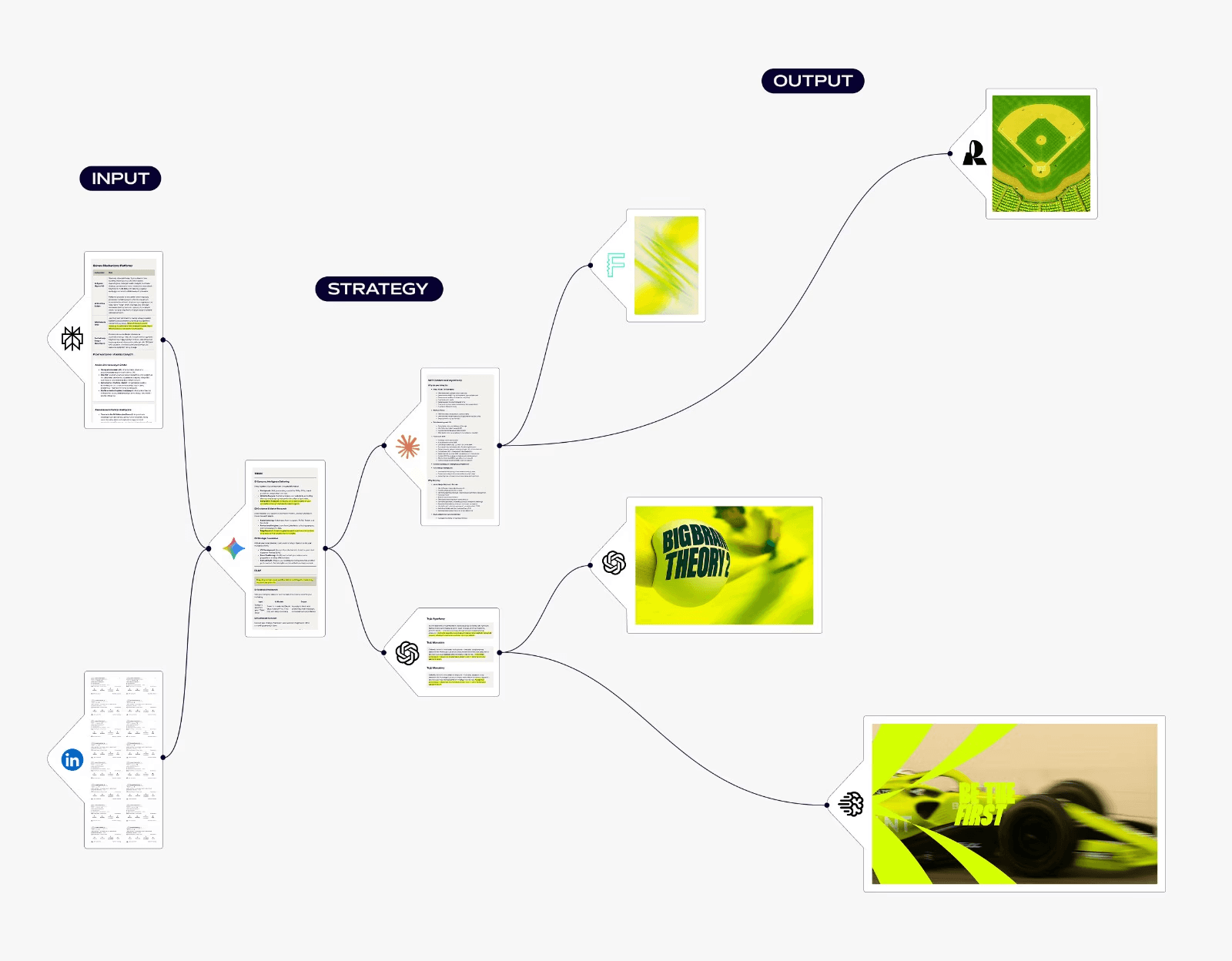
DFIRST AI gives you a visual canvas system for marketing automation that connects different AI tasks into one complete workflow. You can drag and drop nodes to link research, writing, and design steps together without switching between separate tools.
Key Features for Large Teams
Visual workflow builder: Draw connections between AI nodes to create automatic pipelines where data flows from one step to the next
Live research automation: Pull current data from websites and social media to feed into your content creation
Multi-model access: Choose from over 50 AI models including GPT-4, Claude, and Gemini for different tasks
Brand consistency tools: Upload your guidelines once and the system references them across all campaigns
The platform helps you maintain brand consistency across all assets while generating copy and visuals. Your competitor analysis can automatically inform your next content piece without manual copying.
You get different pricing tiers based on your needs. The Starter plan costs $39 per month with unlimited tokens and three projects. Pro plans run $199 monthly with full access to premium models. Enterprise teams can request custom pricing for their specific requirements.
Support Options
You receive 24/7 support regardless of your organization size. You also gain access to templates, a help center, guides, and instructional videos to maximize your productivity and ROI.
Generate your first flow for free - no credit card required.
DFIRST AI stands out as a comprehensive suite of marketing-specific AI agents rather than generic tools. This focus makes it useful for teams managing multiple campaigns across different channels at the same time.
Salesforce Marketing Cloud (Einstein AI): Enterprise Platforms For Large Organizations
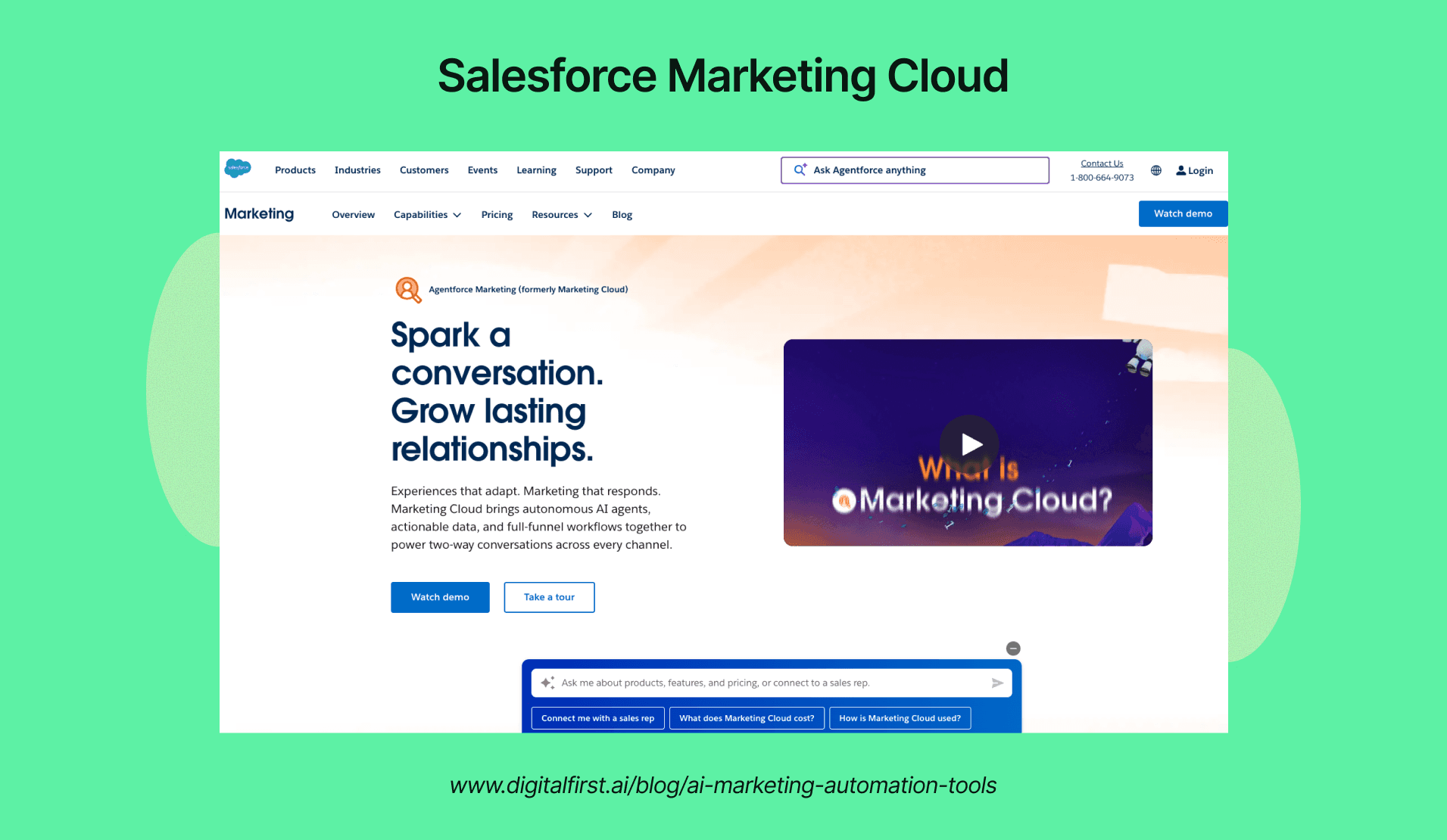
Salesforce Marketing Cloud uses Einstein AI to predict customer behavior and automate marketing campaign decisions across email, mobile, social, and advertising channels. The platform analyzes historical data to recommend the best send times, subject lines, and content for each subscriber.
You get advanced segmentation that updates in real-time based on customer actions. Einstein can score leads automatically and route them to your sales team when they're ready to buy.
The platform connects with Salesforce CRM to give you a complete view of each customer's journey. This integration lets you trigger marketing messages based on sales activities and customer service interactions.
Key Features:
Predictive analytics for customer lifetime value
AI-powered content recommendations
Cross-channel journey mapping
Dynamic audience segmentation
Multi-touch attribution reporting
The pricing starts at around $1,250 per month for basic features. Enterprise packages with full Einstein AI capabilities typically cost $3,750 or more monthly depending on your contact volume and feature requirements.
Adobe Marketo Engage: Enterprise Platforms For Large Organizations
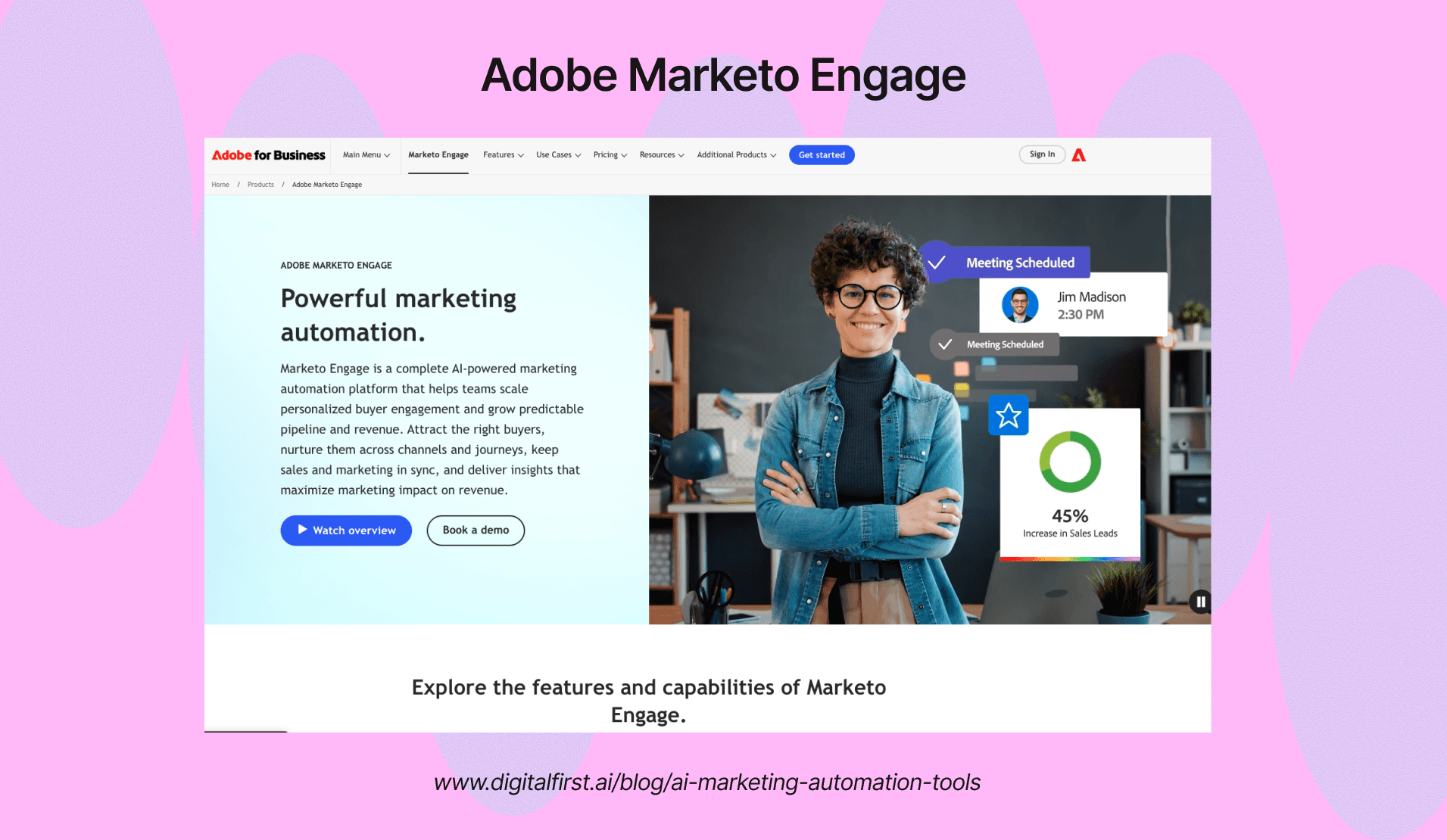
Marketo Engage specializes in B2B marketing automation with sophisticated lead scoring and account-based marketing tools. The platform tracks every interaction prospects have with your content to build detailed behavioral profiles.
You can create complex nurture programs that adapt based on engagement levels and buying signals. The AI features analyze which content performs best for different audience segments and automatically optimize your campaigns.
Marketo's revenue attribution shows exactly which marketing activities contribute to closed deals. This helps you allocate budget to the channels and campaigns that actually drive revenue.
Integration Capabilities:
Native Salesforce synchronization
Microsoft Dynamics 365 connection
Webhooks for custom applications
API access for developers
Bi-directional data sync
The platform requires an annual contract with pricing that typically ranges from $1,800 to $4,500 per month. Final costs depend on your database size and the specific modules you need.
Oracle Eloqua: Enterprise Platforms For Large Organizations
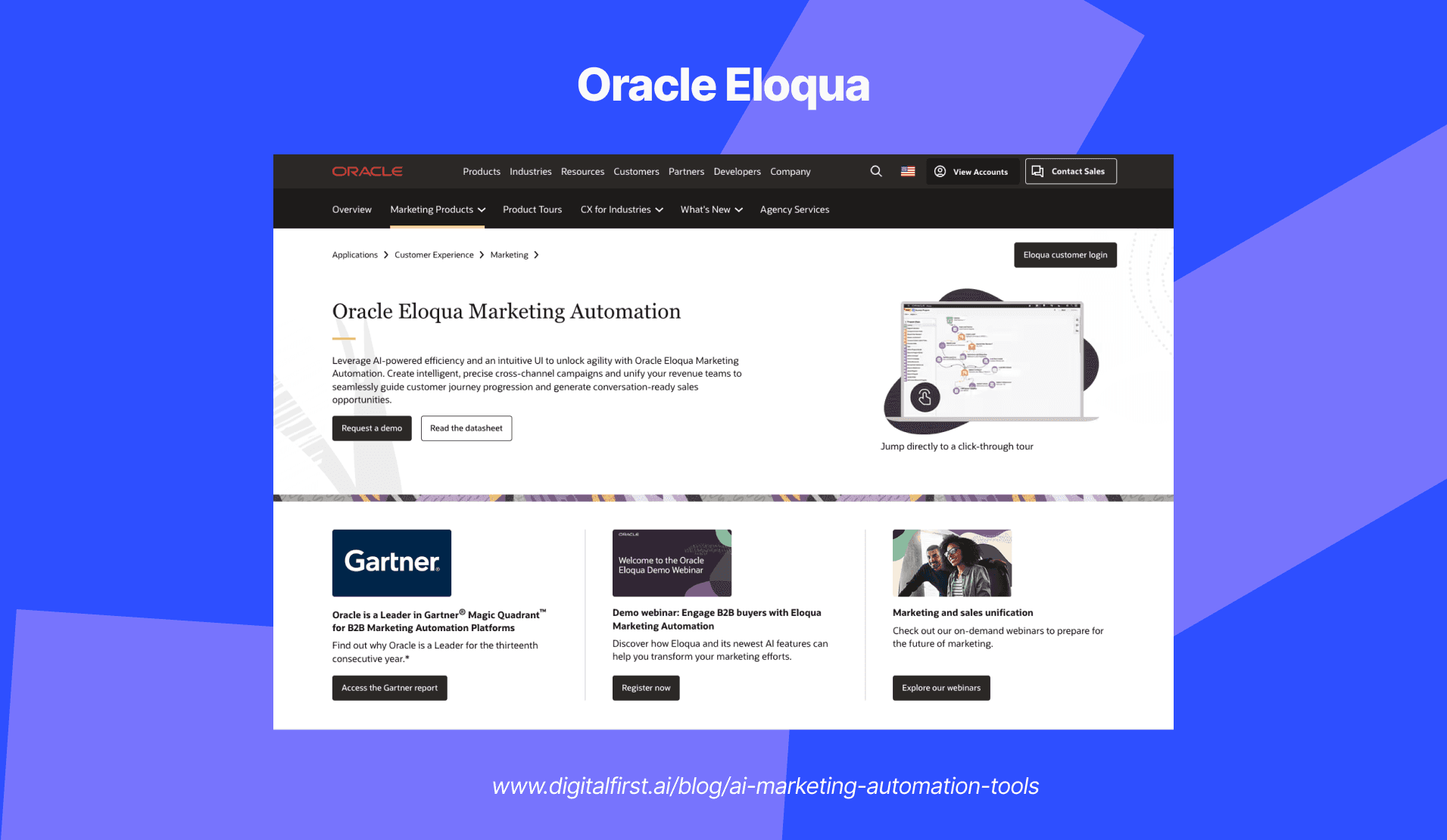
Oracle Eloqua handles high-volume B2B marketing with advanced lead management and campaign orchestration. The platform processes millions of marketing touches daily while maintaining detailed records of every customer interaction.
Your marketing team can build multi-step campaigns that span months or years. Eloqua's canvas interface lets you map out complex decision trees based on engagement, demographics, and sales readiness.
The AI capabilities predict which leads are most likely to convert and suggest the next best action for each prospect. You can also test different campaign approaches and let the system automatically shift traffic to winning variations.
Database Management:
Unlimited custom fields
Advanced duplicate detection
Data quality scoring
Progressive profiling
GDPR compliance tools
Eloqua pricing starts around $2,000 per month for 10,000 contacts. Enterprise implementations with full features typically cost $4,000 or more monthly plus implementation fees.
HubSpot Marketing Hub: Mid-Market Platforms For Growing Businesses
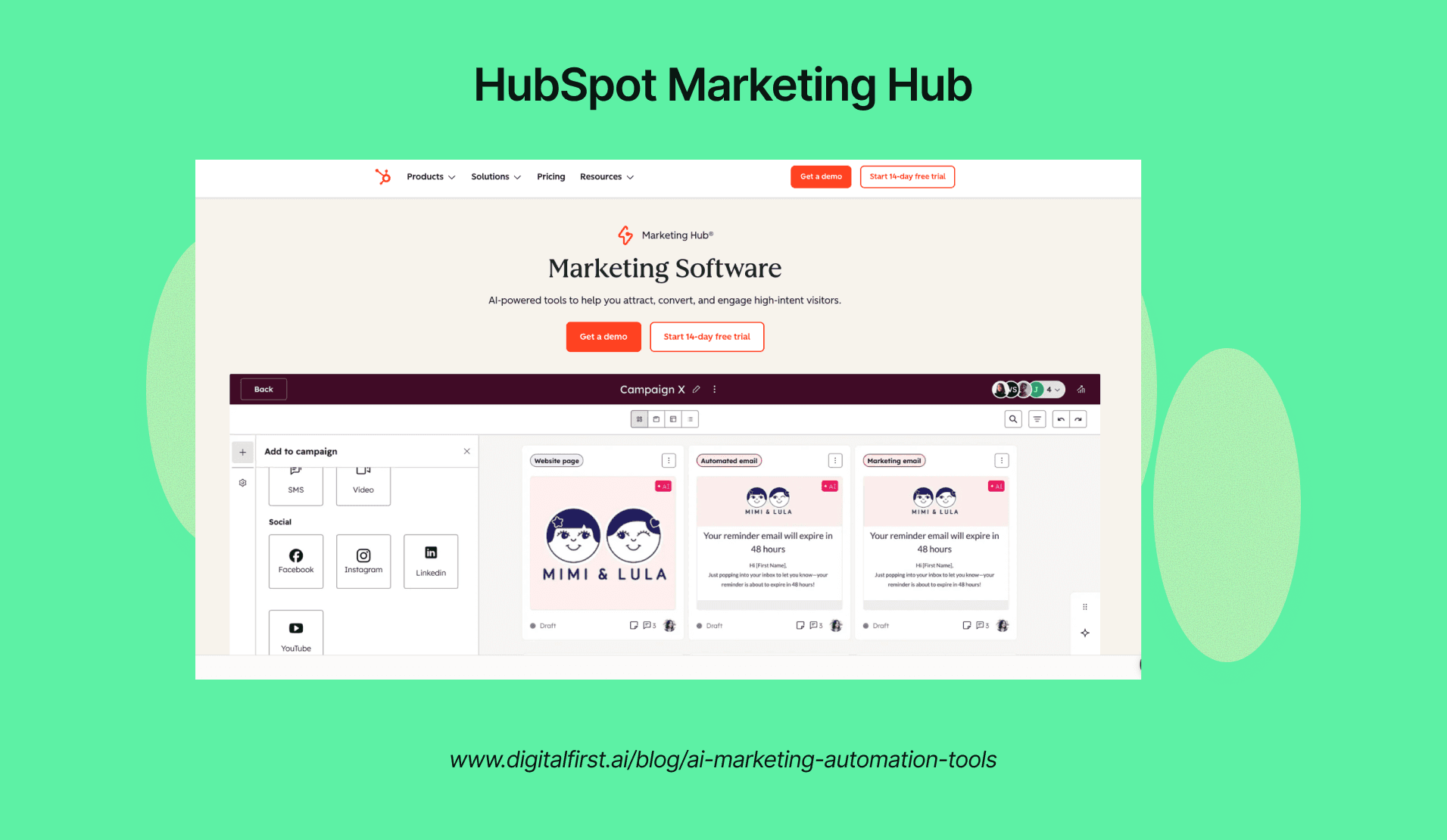
HubSpot combines marketing automation with a free CRM to give you an all-in-one growth platform. The system tracks website visitors and shows which companies are browsing your site, even before they fill out a form.
You can build landing pages, emails, and workflows without technical skills. The drag-and-drop editor makes it easy to create professional campaigns in minutes.
The AI content assistant helps you write blog posts, emails, and social media updates. HubSpot also scores your SEO and suggests improvements to help your content rank better in search results.
Marketing Tools Included:
Email marketing and automation
Landing page builder
Social media scheduling
Ad management and tracking
Blog and SEO tools
Form builder with smart fields
Professional tier starts at $800 per month and includes advanced automation features. Enterprise plans cost $3,600 monthly and add predictive lead scoring and custom reporting.
ActiveCampaign: Mid-Market Platforms For Growing Businesses
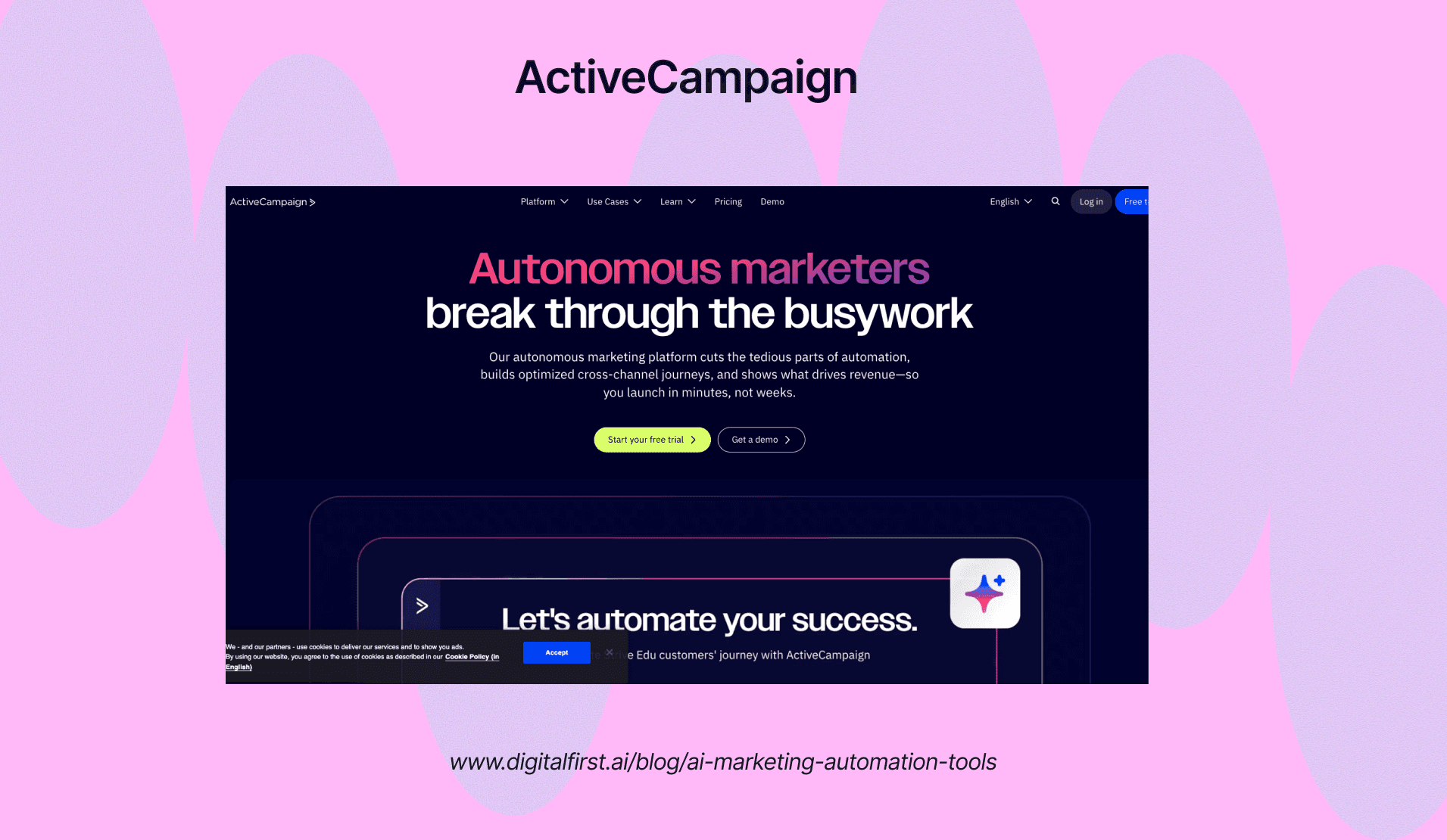
ActiveCampaign focuses on email marketing with powerful automation and CRM features built in. The platform uses machine learning to predict which contacts are most likely to open emails, click links, or make purchases.
You get over 900 pre-built automation recipes for common marketing scenarios. These templates help you set up welcome series, abandoned cart recovery, and re-engagement campaigns in minutes.
The conditional content feature shows different message blocks to different subscribers within the same email. This personalization happens automatically based on custom fields, past behavior, or deal stage.
Automation Capabilities:
If/else logic in workflows
Goal tracking and conversion paths
Split testing for automations
Site and event tracking
Win probability scoring
Plans start at $49 per month for 1,000 contacts with basic automation. The Plus plan at $149 monthly adds CRM, lead scoring, and advanced reporting features that growing businesses need.
Klaviyo (E-commerce Focus): Mid-Market Platforms For Growing Businesses
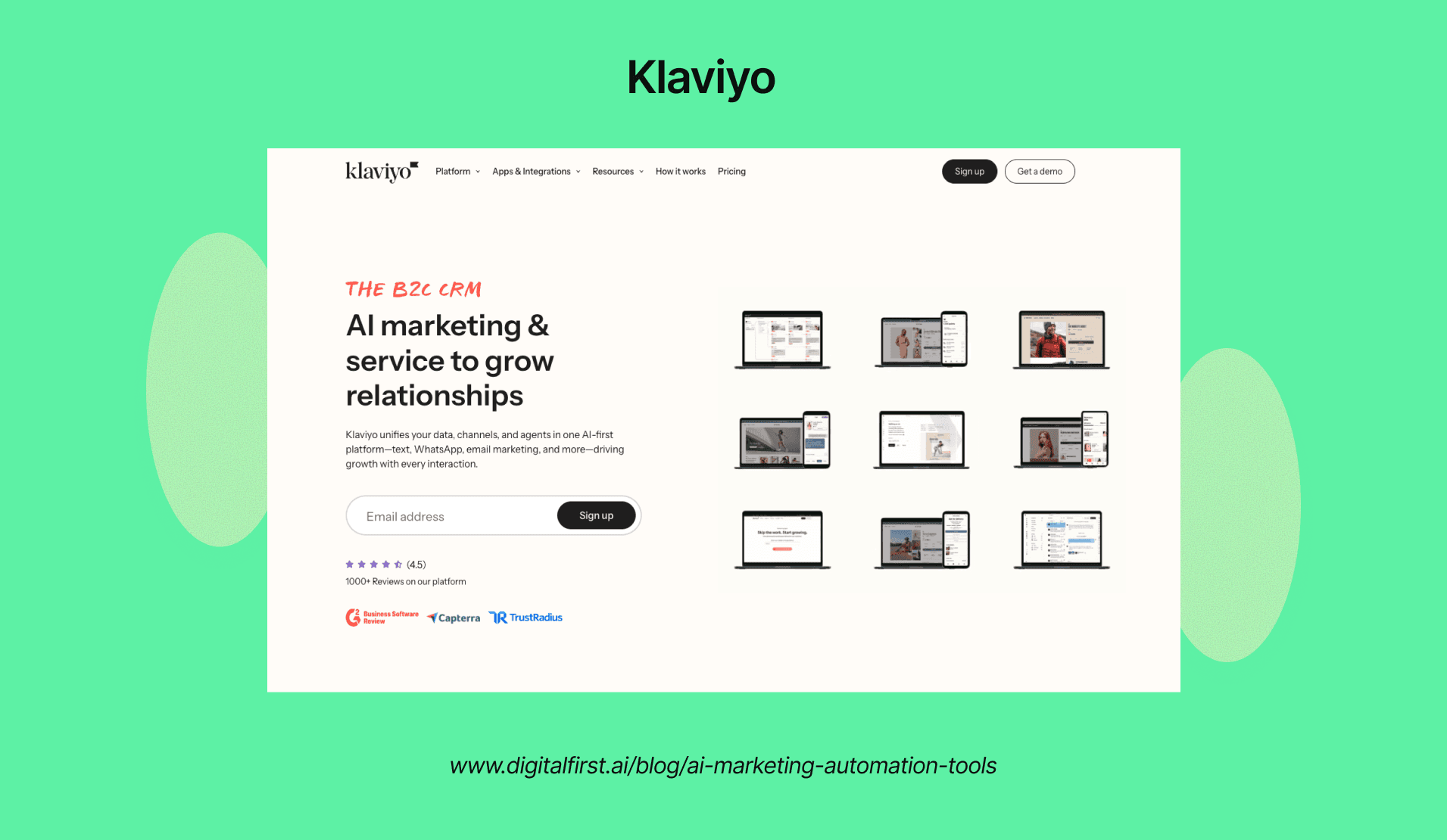
Klaviyo specializes in e-commerce marketing with native integrations for Shopify, WooCommerce, and BigCommerce. The platform automatically syncs product catalogs, order history, and customer behavior from your online store.
You can segment customers based on purchase history, browsing behavior, and predicted lifetime value. The AI predicts when customers are likely to make their next purchase and sends timely reminders.
Dynamic product recommendations appear in emails based on what each customer viewed or bought previously. Klaviyo also calculates expected order dates for consumable products and triggers reorder campaigns automatically.
E-commerce Features:
Abandoned cart recovery
Post-purchase follow-ups
Customer win-back campaigns
Back-in-stock notifications
Price drop alerts
VIP customer identification
The platform charges based on contact count, starting free for up to 250 contacts. Pricing scales to $20 for 500 contacts and increases as your list grows, with email sends also factored into costs.
Brevo (Sendinblue): Small Business And Accessible Platforms
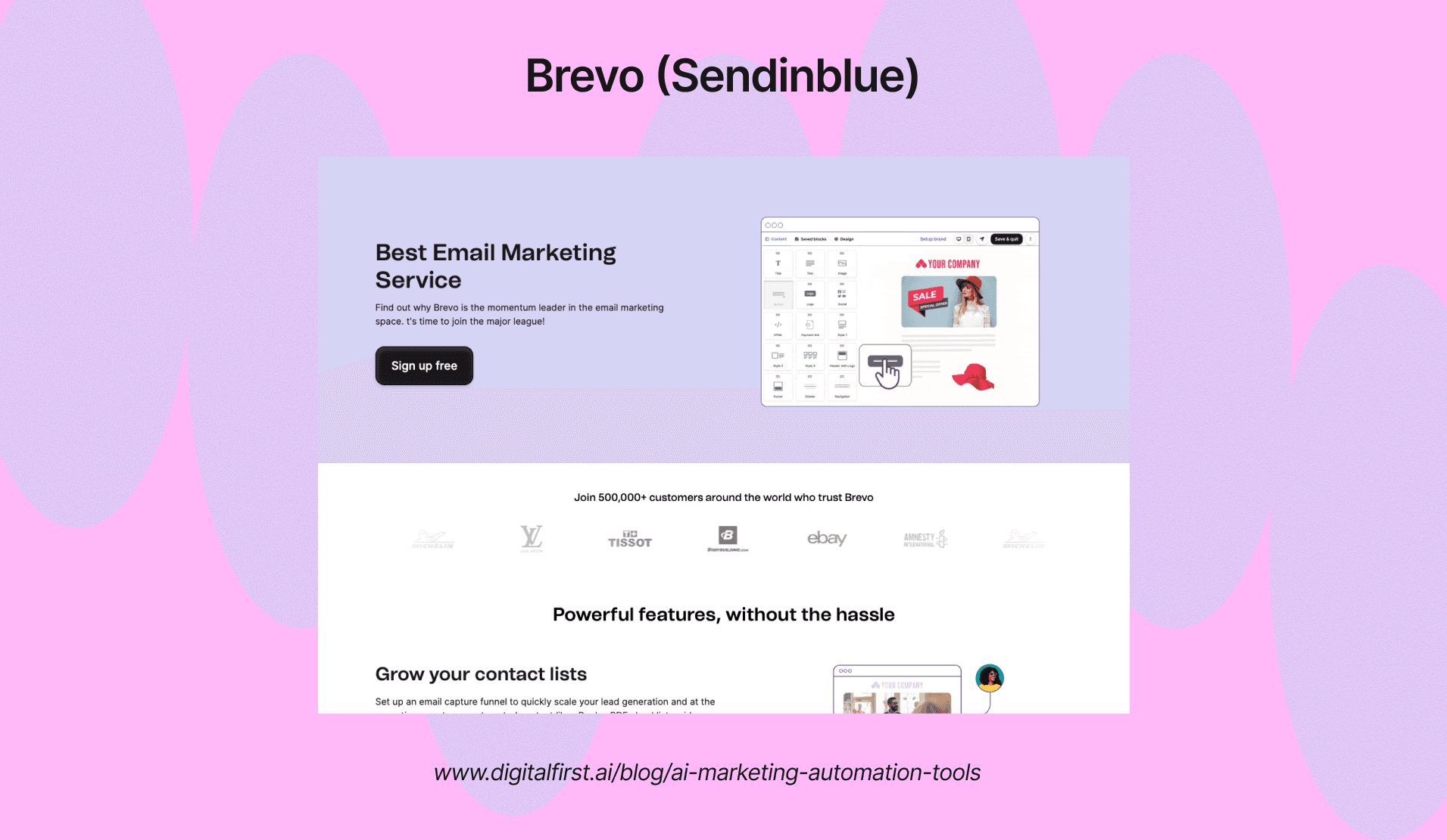
Brevo offers email marketing, SMS, and chat in one affordable platform. You pay based on emails sent rather than contact list size, which saves money if you have a large list but send infrequently.
The automation builder uses a visual workflow editor to create multi-step campaigns. You can combine email, SMS, and CRM updates in the same automation sequence.
Transactional email features let you send order
Core AI Marketing Automation Capabilities
AI marketing automation platforms handle tasks like personalizing emails, predicting which leads will convert, and creating content automatically. These tools also segment audiences, run chatbots, optimize campaigns, and track performance across multiple channels.
Email Marketing Automation And Personalization
AI analyzes customer behavior to determine the best time to send emails to each person. The system looks at past open rates, click patterns, and purchase history to schedule delivery when recipients are most likely to engage.
Personalization goes beyond adding a first name to the subject line. AI examines browsing history, product views, and cart abandonment data to customize email content for each recipient. You can send different product recommendations, images, and calls-to-action based on individual preferences.
Key personalization features include:
Dynamic subject lines that change based on user behavior
Product recommendations tailored to purchase history
Automated re-engagement campaigns for inactive subscribers
Send-time optimization for each contact
The technology also tests different email variations automatically. It learns which headlines, images, and layouts perform best with specific audience segments and adjusts future campaigns accordingly.
Predictive Analytics And Lead Scoring
Predictive analytics uses past customer data to identify which leads are most likely to convert. The AI examines hundreds of signals including website visits, content downloads, email engagement, and demographic information.
Lead scoring assigns numerical values to prospects based on their actions and characteristics. Someone who visits your pricing page three times and opens every email might receive a score of 85, while someone who only opened one email gets a 15.
The system updates scores in real time as prospects take new actions. Your sales team can focus on high-scoring leads instead of wasting time on contacts who aren't ready to buy. AI models improve over time by learning from closed deals and lost opportunities.
You can set up automated workflows that trigger when leads reach certain score thresholds. For example, contacts scoring above 70 might automatically route to sales, while those between 40-70 enter a nurture campaign.
Workflow Automation And Behavioral Triggers
Behavioral triggers start automated workflows when customers take specific actions. If someone abandons their cart, downloads a whitepaper, or visits your pricing page, the system responds immediately without manual intervention.
You can build multi-step workflows that adapt based on how people respond. Someone who opens your email but doesn't click might receive a different follow-up than someone who clicked through to your website.
Common workflow triggers include:
Form submissions
Page visits
Email opens and clicks
Purchase completions
Social media engagement
Mobile app activity
The AI determines optimal wait times between workflow steps. Instead of sending a follow-up exactly 24 hours later, it might wait 18 hours for one segment and 36 hours for another based on engagement patterns.
Customer Segmentation And Audience Building
AI segments your audience by analyzing patterns in customer data that humans might miss. It groups people based on purchase frequency, average order value, content preferences, and engagement levels across channels.
Dynamic segments update automatically as customer behavior changes. Someone might move from a "window shopper" segment to "ready to buy" when they visit your pricing page multiple times in one week.
The technology also creates lookalike audiences by finding patterns among your best customers. AI marketing automation platforms identify prospects who share similar characteristics with high-value buyers.
You can layer multiple criteria to build highly specific segments. For example, you might target people who opened at least three emails in the past month, visited your website twice, but haven't purchased in 90 days.
AI Content Generation For Marketing
AI creates marketing copy for emails, social media posts, product descriptions, and ad headlines. You provide prompts or guidelines, and the system generates multiple variations in seconds.
Content generation tools help you maintain consistent brand voice across channels. The AI learns your style by analyzing existing content and applies the same tone to new pieces.
The technology also optimizes content for specific platforms. LinkedIn posts might be more professional while Instagram captions are casual. AI adjusts length, formatting, and language based on where the content will appear.
Content types AI can generate:
Email subject lines and body copy
Social media captions
Blog post outlines
Ad copy variations
Product descriptions
Landing page headlines
You still need to review and edit AI-generated content. The technology works best as a starting point that you refine rather than a complete replacement for human writers.
Chatbots And Conversational Marketing
AI chatbots answer customer questions instantly without human involvement. They handle common inquiries about pricing, features, shipping, and returns so your team can focus on complex issues.
The bots learn from each conversation and improve their responses over time. They recognize intent behind questions even when people phrase things differently. "How much does it cost?" and "What's the price?" trigger the same response.
Chatbots qualify leads by asking questions about needs, budget, and timeline. Based on the answers, they either provide information, schedule a sales call, or pass the conversation to a human agent.
You can deploy chatbots across multiple channels including your website, Facebook Messenger, WhatsApp, and SMS. The conversation history follows customers across platforms so they don't have to repeat themselves.
Marketing Analytics And Campaign Optimization
AI analyzes campaign performance across all channels in real time. It tracks metrics like click-through rates, conversion rates, cost per acquisition, and return on ad spend without manual data entry.
The system identifies which campaigns, channels, and messages drive the most conversions. You see exactly which touchpoints contribute to sales instead of guessing based on last-click attribution.
AI spots trends and anomalies faster than humans reviewing spreadsheets. If a campaign suddenly underperforms, you receive an alert with recommendations for improvement.
Key metrics AI tracks:
Email open and click rates
Landing page conversion rates
Social media engagement
Ad performance by platform
Customer lifetime value
Revenue by channel
The technology also provides recommendations for optimization. It might suggest increasing budget on high-performing ads or pausing underperforming campaigns.
Attribution Modeling And Multi-Touch Attribution
Multi-touch attribution tracks every interaction a customer has with your brand before purchasing. AI maps the entire customer journey from first website visit through conversion.
Traditional last-click attribution gives all credit to the final touchpoint. Multi-touch attribution distributes credit across all interactions based on their influence. The first ad they saw, the email they opened, and the retargeting ad they clicked all receive appropriate credit.
AI determines how
Implementation And Integration
Getting AI marketing automation tools to work in your business requires careful planning across team structure, technical setup, data handling, user adoption, and rollout timing. Success depends on building the right foundation before you flip the switch.
Marketing Operations Team Structure
You need a cross-functional team that brings together marketing strategy, technical skills, and data expertise. Building your AI marketing foundation starts with assembling people who understand both your marketing goals and how AI tools actually work.
Your core team should include a marketing operations manager who owns the project, a data analyst who ensures data quality, and an IT specialist who handles technical integrations. Add marketing team members who will use the tools daily so you understand real workflow needs.
This structure prevents common problems like choosing tools that don't integrate with your existing systems or building models that don't match how customers actually behave. Regular check-ins between these team members catch issues early before they become expensive mistakes.
Platform Integration Architecture
Your AI tools need to connect with your CRM, email platform, website analytics, and other marketing systems to access customer data and automate actions. Evaluating tools based on their integration capabilities matters more than individual features.
Map out your current technology stack before selecting tools. Identify which systems hold customer data, where campaigns are executed, and how data flows between platforms. This prevents tool sprawl where you end up with disconnected systems that can't share information.
Look for platforms that offer:
Pre-built connectors to your existing tools
Open APIs for custom integrations
Webhook support for real-time data sync
Data transformation tools to standardize formats
Test integrations during your trial period with real data. Make sure customer information flows correctly and actions in one system trigger appropriate responses in others.
Data Migration And Quality Assurance
Your AI tools only work as well as the data you feed them. Poor data quality leads to inaccurate predictions and irrelevant personalization that damages customer trust.
Start with a data audit of your current systems. Check for duplicate records, missing information, outdated contacts, and inconsistent formatting. Clean this data before migration by removing duplicates, filling gaps, and standardizing formats across all fields.
Create validation rules that maintain data quality over time:
Required fields for new contacts
Format standards for phone numbers and addresses
Drop-down menus instead of free text where possible
Regular automated checks for duplicates
Plan your migration in stages rather than moving everything at once. Start with a small subset of data to test the process, then expand once you confirm everything transfers correctly. Keep backups of original data until you verify the new system works properly.
Change Management And Team Adoption
Your team needs to understand why you're implementing AI tools and how these tools make their work easier, not harder. Resistance happens when people fear job loss or feel overwhelmed by new technology.
Run training sessions that show practical examples of how AI saves time on repetitive tasks. Demonstrate how automation handles data entry and basic segmentation so your team can focus on strategy and creative work. Position AI as an assistant that amplifies their skills rather than a replacement.
Create documentation that covers:
Step-by-step workflows for common tasks
Troubleshooting guides for typical issues
Best practices from early adopters
Contact information for technical support
Identify champions within each marketing function who embrace the new tools early. These people become your internal support system, answering questions and sharing wins that motivate others to adopt the technology.
Phased Rollout Strategy
The crawl-walk-run framework lets you prove value at each stage before expanding. Start with high-impact, low-risk projects that show clear results within 60-90 days.
Your crawl phase might include email subject line testing or basic content generation. These projects deliver measurable improvements without risking major campaigns. Once you prove ROI, move to the walk phase with predictive audience segmentation and dynamic content personalization.
Phase | Timeline | Focus Areas | Success Metrics |
Crawl | 60-90 days | Content automation, email optimization | Time saved, engagement rates |
Walk | 3-6 months | Predictive segmentation, A/B testing | Conversion improvement, lead quality |
Run | 6-12 months | Autonomous decisions, budget optimization | Pipeline growth, revenue attribution |
Document what works and what doesn't at each phase. Use these insights to refine your approach before scaling to additional teams or use cases. This methodical approach minimizes risk while building confidence across your organization.
Data Privacy, Compliance, And Governance
AI marketing automation tools collect and process large amounts of customer data, which means you need strong privacy protections and compliance measures. Your choice of tools must align with major regulations while keeping your security standards high and your email reputation intact.
GDPR, CCPA, And CPRA Compliance
The General Data Protection Regulation (GDPR) requires transparency for automated decision-making and profiling activities that AI marketing tools commonly use. You need explicit consent before processing personal data, and your systems must support data minimization.
CCPA and CPRA give California consumers rights over their personal information. Your AI tools must clearly disclose data collection activities and provide easy opt-out options for data selling or sharing.
You should conduct privacy impact assessments before implementing new AI marketing tools. These assessments help you identify risks early and build mitigation strategies. Keep detailed records of your data processing activities, including what you collect, how you use it, who accesses it, and retention periods.
AI governance platforms help you enforce policies through access control, audit logging, and regulatory compliance tracking. Look for tools with built-in consent management that records user preferences across all channels.
Your platform needs efficient data subject request handling. When customers exercise their rights to access, correct, or delete information, you must respond quickly with all relevant data.
Privacy-First Personalization Strategies
You can deliver personalized marketing while respecting privacy through data minimization techniques. Only collect information you actually need for specific marketing purposes.
Pseudonymization and anonymization remove identifying details from datasets while preserving their analytical value. Use these methods when personalization doesn't require knowing exact identities.
Configure your AI tools to automatically discard unnecessary information. Set up granular consent options that explain exactly how AI will process personal data. Your customers should understand what they're agreeing to and easily withdraw permission later.
AI-driven tools can automatically classify data according to sensitivity levels, which helps you apply appropriate protection measures. Sensitive information gets stronger safeguards than general marketing data.
Implement geographic data segregation when you market internationally. Different regions have different privacy requirements, so separating data by location helps you meet local standards.
Test your personalization algorithms regularly for bias. AI systems can inadvertently discriminate against certain groups by reinforcing patterns in training data.
Data Retention And Security Policies
Set automatic retention controls that delete or archive data after specific periods. Keeping customer information longer than necessary creates compliance risks and security vulnerabilities.
Your AI marketing platform should maintain comprehensive audit trails. These logs track who accessed what data, when changes happened, and what automated decisions were made.
Essential security features include:
End-to-end encryption for data in transit and at rest
Multi-factor authentication for system access
Regular security patches and updates
Intrusion detection and prevention systems
Backup and disaster recovery procedures
AI marketing tools implement technical safeguards like encryption, access controls, and consent management features to protect personal information.
Create an incident response plan before you need it. If a data breach occurs, you must act within 72 hours under GDPR. Your plan should include steps for isolating affected systems, documenting the breach scope, and notifying authorities.
Conduct quarterly compliance audits of your AI marketing tools. Check data collection practices, algorithm functioning, and security measures. Annual external audits provide objective assessments.
Email Deliverability And Anti-Spam Compliance
Your AI marketing automation must follow CAN-SPAM Act requirements and international anti-spam laws. Every email needs a clear unsubscribe option that processes within 10 business days.
Authenticate your emails using SPF, DKIM, and DMARC protocols. These technical standards prove your messages come from legitimate sources and aren't spoofed by attackers.
Monitor your sender reputation through email deliverability metrics. High bounce rates, spam complaints, and low engagement signal problems to inbox providers.
Maintain list hygiene by:
Removing hard bounces immediately
Suppressing inactive subscribers after 6-12 months
Validating email addresses at collection
Honoring unsubscribe requests instantly
AI tools can optimize send times and content, but they must respect consent boundaries. Don't use AI to circumvent unsubscribe requests or send to purchased lists.
Effective AI platforms offer configurable privacy settings and automated compliance documentation. Your system should track consent for each communication channel separately.
Segment your audiences based on engagement levels and consent types. This protects your domain reputation and keeps you compliant across different regulatory frameworks.
Industry-Specific AI Marketing Automation Strategies
Different industries need different approaches to AI marketing automation. E-commerce businesses focus on product recommendations and cart recovery, while B2B companies prioritize lead scoring and account-based marketing.
E-Commerce Marketing Automation
Your e-commerce store can use AI to track customer behavior across every touchpoint. AI analyzes browsing patterns, purchase history, and cart abandonment to send personalized product recommendations at the right time.
AI marketing automation helps businesses predict which products customers want before they search for them. Amazon uses this approach to suggest complementary items based on what shoppers add to their carts.
You can automate email campaigns that trigger when customers abandon their carts. AI determines the best time to send these emails and what discount amount will convert each customer. The system also adjusts product suggestions in real-time based on inventory levels and trending items.
Dynamic pricing is another key feature. AI monitors competitor prices and demand to adjust your pricing automatically. This keeps you competitive without manual price checks.
Your store can also use AI chatbots to answer product questions instantly. These bots learn from each interaction to provide better responses over time.
B2B Marketing Automation
B2B marketing requires longer sales cycles and multiple decision-makers. Your AI tools need to score leads based on engagement signals like email opens, website visits, and content downloads.
AI helps B2B marketers deliver personalized experiences while maintaining authenticity. The system tracks how prospects interact with your content to identify buying intent.
Account-based marketing becomes easier with AI. You can create custom campaigns for specific companies by analyzing their industry, company size, and past interactions with your brand.
Key B2B automation features:
Lead scoring that updates in real-time
Automated email sequences based on prospect behavior
Content recommendations for different buyer personas
Meeting scheduling that syncs with your calendar
Your sales team gets alerts when high-value leads take important actions. AI also helps you identify which marketing channels bring in the best leads. This data lets you spend your budget more effectively.
SaaS Marketing Automation
SaaS companies need to focus on user onboarding and reducing churn. Your AI system should track how users interact with your product from day one.
You can send automated onboarding emails that adjust based on user progress. If someone hasn't activated a key feature, AI triggers a tutorial email or in-app message. The system identifies users at risk of churning by tracking login frequency and feature usage.
SaaS automation priorities:
Trial-to-paid conversion campaigns
Feature adoption tracking
Usage-based email triggers
Upgrade prompts based on usage patterns
Your AI tools can segment users by their behavior patterns. Power users might receive emails about advanced features, while inactive users get re-engagement campaigns. This approach increases product adoption rates.
You should also automate customer success touchpoints. AI identifies when users need help and triggers support resources automatically.
Retail And Brick-And-Mortar
Physical retail stores can combine online and offline data for better customer experiences. Your AI system tracks in-store purchases and connects them to online behavior.
You can send location-based promotions when customers are near your store. AI determines which offers each customer will respond to based on their purchase history. Loyalty programs become smarter with AI tracking customer lifetime value.
Inventory management improves with predictive analytics. AI forecasts demand for each product at each location. This reduces overstock and prevents stockouts.
Retail automation tactics:
SMS campaigns for local promotions
Personalized offers based on in-store purchases
Appointment booking for services
Post-purchase follow-up emails
Your stores can use AI to optimize staffing schedules based on predicted foot traffic. The system analyzes historical data and local events to forecast busy periods. This ensures you have enough staff when customers need help.
Budget And Total Cost Of Ownership
AI marketing automation platforms advertise low monthly fees, but your actual spend will be 3-5x higher when you account for setup, training, integrations, and usage overages. Understanding pricing structures and calculating ROI helps you budget accurately and avoid surprises.
Platform Pricing Models Explained
Most AI marketing tools use contact-based pricing that scales with your list size. You'll pay $50-100 monthly for 1,000 contacts, but that jumps to $175-300 for 5,000 contacts.
Watch out for hidden costs that platforms don't advertise upfront. These include:
Per-seat charges: $20-75 monthly for each team member
Usage overages: Extra fees when you exceed email sends or API calls
Feature upgrades: Advanced automation, reporting, and CRM integrations often require higher-tier plans
Integration costs: $20-100 monthly for tools like Zapier to connect your systems
You also need to factor in implementation costs of $3,000-7,000 for setup, training, and custom workflows. Premium support typically adds another $100-300 monthly.
List management becomes expensive fast. Many platforms count inactive contacts and unsubscribes toward your total, pushing you into higher pricing tiers.
ROI Calculation Framework
Calculate your total cost of ownership by adding base subscription, implementation, training, integrations, and monthly maintenance time. A $150 monthly tool often costs $13,000-15,000 in year one.
Compare this against measurable gains. Track revenue from automated campaigns, time saved on manual tasks, and conversion rate improvements.
Key ROI metrics to monitor:
Metric | What to Track |
Customer acquisition cost | Did automation lower your cost per lead? |
Email conversion rate | Are automated sequences performing better? |
Time savings | How many hours do you save weekly? |
Revenue per contact | Is your average order value increasing? |
Budget 15-30 hours monthly for ongoing maintenance, optimization, and content updates. This time investment directly impacts your returns.
Set a break-even timeline of 6-12 months. If you're not seeing positive returns by then, the tool isn't working for your business model.
Future Trends In AI Marketing Automation
AI marketing automation is moving toward systems that can act independently, adapt in real-time, and predict customer needs before they arise. These changes will reshape how you interact with customers and manage campaigns.
Agentic AI And Autonomous Marketing Systems
Agentic AI represents a shift from reactive to proactive marketing systems. Unlike traditional AI that waits for your input, these systems can initiate tasks, make decisions, and execute multi-step campaigns without constant supervision.
You'll see these autonomous systems handle complex workflows independently. They can adjust ad budgets based on performance, switch messaging when engagement drops, and identify new audience segments without manual intervention.
Key capabilities include:
Breaking down campaign objectives into actionable steps
Adapting strategies based on real-time feedback
Managing multiple marketing channels simultaneously
Learning from outcomes to improve future decisions
This technology changes your role from managing every detail to setting strategic direction. The AI handles execution while you focus on broader business goals and creative strategy.
Advanced Hyper-Personalization With Real-Time Data
Meta AI's personalization features show how platforms are using AI interactions to customize content and ads. Starting December 16, 2025, Meta began using conversations with its AI assistant to influence what users see across Facebook and Instagram.
Your marketing automation tools will process customer behavior instantly to adjust experiences on the spot. This goes beyond segmentation into individual-level customization that changes as each person interacts with your brand.
Real-time personalization tracks:
Current browsing behavior and purchase intent
Device usage patterns and preferred content formats
Time-sensitive triggers like location or weather
Cross-platform interactions and engagement history
You can deliver different product recommendations, email subject lines, and landing page variations to each visitor. The system updates these choices continuously as it gathers more data about preferences and responses.
Predictive Customer Journey Optimization
Predictive AI combined with automation tools processes data quickly to forecast customer behavior. You'll map out likely paths customers will take before they actually take them.
Your automation platform will identify which leads are most likely to convert and when they're ready to buy. It predicts the best channel for each message and the optimal timing for follow-ups.
Predictive models analyze:
Data Type | Prediction Output |
Past purchases | Next likely product interest |
Email engagement | Best send times and subject lines |
Website behavior | Churn risk and retention actions |
Support interactions | Upsell opportunities |
This lets you allocate budget to high-value prospects and prevent customer loss before it happens. Your campaigns become more efficient because you're reaching people at the exact moment they're most receptive.
AI-Powered Voice And Visual Search Integration
Search behavior is changing as people use voice assistants and image-based queries more often. Your marketing automation needs to optimize for these formats alongside traditional text search.
Voice search requires natural language optimization. You'll need content that answers questions conversationally and automation that triggers based on voice query patterns.
Visual search lets customers find products by uploading photos. Your automation system should recognize when users engage through images and adjust recommendations accordingly. This includes optimizing product images with AI-generated tags and descriptions that match visual search algorithms.
You'll integrate these capabilities into your existing workflows. When someone uses voice or visual search to find your products, your automation responds with personalized follow-up across email, ads, and other channels based on their search method and intent.
Getting Started: Your AI Marketing Automation Roadmap
Starting with AI marketing automation requires a clear plan that moves from assessment to execution. You need to evaluate your current processes, set specific goals, choose the right tools, connect your data sources, launch initial workflows, prepare your team, and refine based on results.
Step 1: Audit Current Marketing Processes
You need to map every marketing task your team handles manually right now. List activities like campaign reporting, email sends, lead scoring, content creation, social media posting, and ad management.
Document how much time each task takes per week. Track which processes create bottlenecks or errors. Identify where your team spends hours on repetitive work that could be automated.
Look at your existing marketing tools and how they connect to each other. Check if data flows smoothly between your CRM, email platform, ad accounts, and analytics software. Note gaps where information gets stuck or requires manual transfers.
This audit shows you where AI automation will have the biggest impact. You might find that campaign reporting takes 10 hours weekly or that lead scoring happens inconsistently. These pain points become your priority areas for automation.
Step 2: Define Strategy And Customer Journey
Set specific goals for what you want AI automation to achieve. Your objectives might include reducing campaign launch time by 50%, increasing lead conversion rates by 20%, or cutting reporting time from days to hours.
Map your complete customer journey from first contact to repeat purchase. Identify every touchpoint where customers interact with your brand including ads, website visits, email opens, content downloads, and sales calls.
Mark which journey stages need better personalization or faster response times. You might notice that leads who download ebooks rarely get timely follow-up or that cart abandoners receive generic emails instead of personalized offers.
Define what success looks like with measurable metrics. Instead of vague goals like "improve marketing," specify "increase email click rates from 2% to 4%" or "reduce cost per acquisition from $50 to $35."
Step 3: Select Platform Based On Use Cases
Match AI tools to your specific needs from your audit and strategy. If campaign reporting is your biggest time drain, prioritize analytics and automation platforms. If personalization is weak, focus on tools that handle customer segmentation and dynamic content.
Research platforms that integrate with your existing systems. Check if they connect to your CRM, email software, ad platforms, and data warehouse without requiring custom development work.
Compare pricing models to your budget and expected ROI. Some tools charge per user, others per contact or feature. Calculate costs at your current scale and projected growth over 12 months.
Request demos focused on your use cases, not generic features. Ask vendors to show exactly how their AI would automate your top three pain points. Test if the interface matches your team's technical skill level.
Consider whether you need an all-in-one solution or specialized tools for different functions. An integrated suite simplifies management but specialized tools often deliver better results for specific tasks.
Step 4: Build Data Infrastructure And Integrations
Your marketing technology stack forms the foundation of AI effectiveness. Start by connecting all platforms that hold customer data including your CRM, email system, website analytics, ad accounts, and e-commerce platform.
Set up data pipelines that move information between systems automatically. You need real-time or near real-time data flow so AI can make decisions based on current customer behavior, not outdated information.
Clean your data before feeding it into AI systems. Remove duplicate records, fix formatting inconsistencies, and fill gaps in customer profiles. AI trained on messy data produces unreliable results.
Create a unified customer view that combines data from all sources. Each customer should have one complete profile showing their website activity, email engagement, purchase history, and ad interactions.
Establish data governance rules for privacy, security, and compliance. Define who can access different data types, how long you retain information, and how you handle consent for automated communications.
Step 5: Implement Core Workflows
Start with one or two high-impact workflows instead of trying to automate everything at once. Choose processes that combine significant time savings with clear success metrics.
Build your first workflow to solve a specific problem. For example, create an AI-powered lead scoring system that automatically prioritizes prospects based on engagement signals and demographic fit.
Set up trigger conditions and actions for each workflow. Define what events start the automation, what data the AI analyzes, what decisions it makes, and what actions it takes.
Configure personalization rules that let AI tailor messages to individual customers. This might include dynamic email content, personalized product recommendations, or customized ad creative based on browsing history.
Test workflows in a controlled environment before full deployment. Run them with a small segment of your audience to catch errors and verify that AI decisions align with your strategy.
Step 6: Train Team And Establish Governance
Teach your team how AI automation changes their roles. Marketers shift from executing repetitive tasks to setting strategy, reviewing AI decisions, and handling exceptions that need human judgment.
Provide hands-on training with your specific tools and workflows. Have team members practice creating segments, reviewing AI recommendations, adjusting automation rules, and interpreting performance reports.
Create clear guidelines for when humans override AI decisions. Define scenarios where marketers should step in, such as sensitive customer situations, brand reputation risks, or results that seem inconsistent with business goals.
Assign ownership for monitoring different automated workflows. Someone needs to check daily that lead scoring runs correctly, email sends complete successfully, and ad bid adjustments stay within budget.
Document your automation setup including workflow logic, integration points, and decision rules. This documentation helps team members troubleshoot issues and onboard new staff without starting from scratch.
Step 7: Test, Measure, And Optimize
Track performance metrics for every automated workflow you launch. Compare results against your baseline from the audit phase to measure actual improvement.
Monitor key indicators like:
Time savings: Hours reduced on manual tasks
Conversion rates: Lead-to-customer percentages before and after automation
Campaign speed: Days from planning to launch
Personalization impact: Engagement rates for AI-personalized versus generic messages
ROI: Revenue generated compared to automation costs
Review AI decisions regularly to ensure they match your strategy. Check if lead scores align with actual sales outcomes, if personalized content resonates with audiences, and if budget allocations improve campaign performance.
Adjust automation rules based on what you learn. If AI consistently scores certain lead types too high or too low, refine the criteria it uses. If personalization
Before You Go
There you have it.
There are so many great AI marketing automation platforms out there. I hope this list has given you a good overview of the tools available to help you with your decision-making process.
From enterprise giants like Salesforce to user-friendly options like DFIRST, you have plenty of paths to automate your email, content, and analytics. Remember, the best tool fits your team's specific workflow. Start by auditing your current processes, define your customer journey, and keep compliance in mind as you integrate these systems.
Once you've had a chance to research all your options, we'd love to help you build and launch complete campaigns without the tool fatigue.
DFirst gives you a visual canvas where you connect research, writing, and design nodes to produce full marketing flows in one place.